
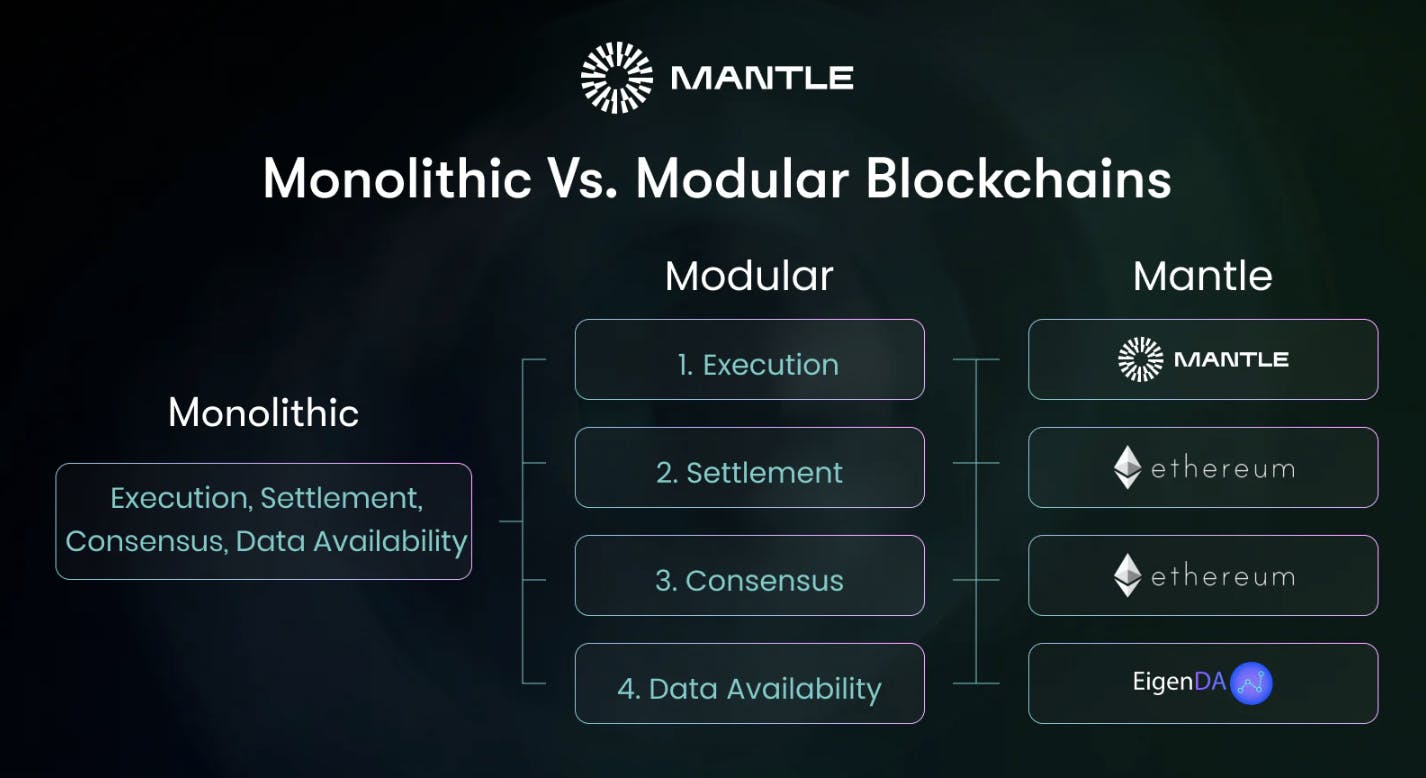
Launching a modular rollup in 2025 is no longer a daunting task reserved for protocol engineers. With the maturity of platforms like Celestia and Conduit, developers can now deploy scalable, customizable rollups with robust data availability in a matter of hours. This guide will walk you through the precise steps needed to build and launch your own modular rollup using Celestia for data availability and Conduit as your Rollup-as-a-Service (RaaS) orchestrator. By following these best practices, you will leverage the full power of modular blockchain architecture while maintaining control over your application’s scalability and security.
Step 1: Set Up Your Development Environment and Wallets
Preparation is key. Before touching any code or dashboards, ensure your development environment is ready for seamless interaction with both Celestia and Conduit. Here’s what you’ll need:
- Ethereum wallet: Install a compatible wallet like MetaMask to interact with the Conduit platform.
- Node. js and npm: These are required for managing JavaScript dependencies if you plan to customize smart contracts or use SDKs.
- Access to Conduit Platform: Visit the official dashboard and connect your Ethereum wallet securely.
This streamlined setup ensures that when you move to chain deployment, there are no blockers related to permissions or incompatible tooling. For more details on preparing your development stack, see our custom rollup deployment guide.
Step 2: Create and Configure a Rollup Project on Conduit
The next phase involves initializing your rollup project directly within the Conduit platform. This step abstracts away much of the underlying complexity, letting you focus on configuration rather than infrastructure management.
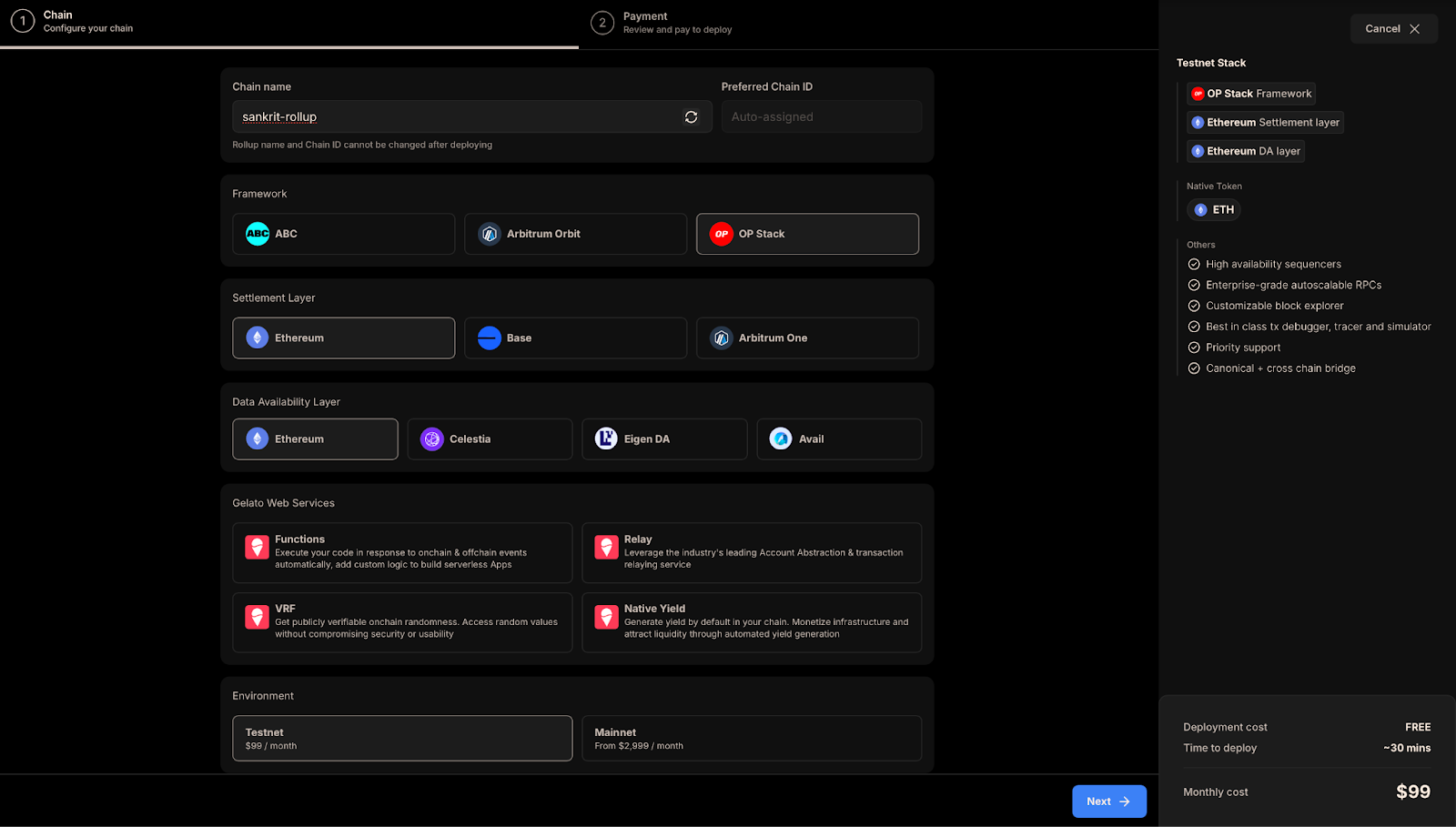
- Create New Project: From the Conduit dashboard, click “New Rollup Project. ” Assign a clear project name and select a namespace, this acts as your rollup’s unique identifier across networks.
- Select Your Stack: Choose from leading frameworks such as OP Stack or Arbitrum Orbit based on your application’s requirements. Each stack offers different trade-offs in terms of performance, EVM compatibility, and feature set.
This approach eliminates manual orchestration steps that previously slowed down modular rollup deployment. You’ll also benefit from built-in integrations that streamline subsequent configuration tasks.
Step 3: Integrate Celestia as the Data Availability Layer
The heart of any modern modular rollup is its data availability layer. By selecting Celestia during setup within Conduit, you unlock high-throughput posting of transaction data (“blobs”) without sacrificing decentralization or security. Here’s how it works:
- Select Data Availability Layer: When prompted, choose “Celestia. ”
- Configure Endpoints: Enter your Celestia endpoint URL and specify your namespace ID, this ensures all blob postings are correctly attributed to your chain.
This integration means that every transaction processed by your rollup will have its calldata posted directly to Celestia blocks, benefiting from its separation of consensus and data storage. For further technical insights into how this works under the hood, refer to our in-depth analysis at Celestia-Conduit integration guide.
Step 4: Customize Rollup Parameters and Deploy Smart Contracts
With your rollup’s core infrastructure in place, the next step is to tailor your chain’s parameters and deploy application logic via smart contracts. Conduit’s interface provides a customizable configuration panel, allowing you to:
- Adjust block times and gas limits: Fine-tune performance characteristics to match your app’s throughput needs.
- Set operator permissions: Define who can propose blocks or update protocol parameters.
- Deploy core and custom smart contracts: Upload EVM-compatible contracts, including governance modules, token standards, or bespoke dApps.
This stage is where your rollup becomes truly application-specific. After uploading and verifying your contracts, Conduit orchestrates deployment across the execution environment you selected earlier. If you’re building for production workloads, consider running a comprehensive suite of tests on a testnet instance before mainnet launch. For more step-by-step details on contract deployment within modular stacks, see our in-depth tutorial here.
Step 5: Monitor, Test, and Optimize Your Modular Rollup Deployment
Successful launch isn’t the end of your journey, ongoing monitoring and optimization are essential for robust modular rollup deployment. Conduit’s dashboard offers real-time analytics on chain health, transaction volume, gas usage, and more. Key practices include:
- Continuous monitoring: Track block production rates, DA posting success to Celestia, and network latency.
- Test upgrades in staging environments: Use testnets to validate protocol changes or new features before pushing live.
- Tune parameters as needed: Adjust block sizes or data posting intervals based on observed usage patterns to optimize cost-efficiency and speed.
The modular approach means you’re not locked into static configurations, iterate on-chain parameters as your user base grows or as new features become available in Celestia or Conduit. For best practices in long-term maintenance of modular chains, explore our detailed guides at this resource.
Key Takeaways for Modular Rollup Builders
The convergence of Celestia’s data availability with Conduit’s RaaS orchestration empowers developers with unprecedented flexibility. To recap the critical steps covered in this guide:
Step-by-Step Guide: Launching a Modular Rollup with Celestia and Conduit
- Set Up Your Development Environment and Wallets: Install Node.js and npm, and set up a compatible Ethereum wallet such as MetaMask. Connect your wallet to the Conduit Platform to enable rollup deployment.
- Create and Configure a Rollup Project on Conduit: On the Conduit dashboard, click “New Rollup Project”, enter your project name, and select a unique namespace. Choose your preferred rollup stack (e.g., OP Stack or Arbitrum Orbit) for the project.

- Integrate Celestia as the Data Availability Layer: Select Celestia as your data availability layer during configuration. Input the required Celestia endpoint and namespace ID to ensure secure, scalable data posting for your rollup.
- Customize Rollup Parameters and Deploy Smart Contracts: Adjust rollup settings such as block time and gas limits. Deploy your smart contracts to the new rollup using your connected wallet and the Conduit interface.
- Monitor, Test, and Optimize Your Modular Rollup Deployment: Use Conduit's dashboard to track performance, run tests, and apply updates. Continuously monitor for security patches and optimize your rollup for scalability and efficiency.
This workflow not only accelerates time-to-market but also ensures that every layer of your stack is independently scalable and upgradable, a core advantage of the modular blockchain paradigm.
If you’re ready to experiment or scale production-grade applications using this architecture, revisit our other hands-on guides for advanced topics such as cross-chain interoperability or zero-knowledge integrations. The landscape is evolving rapidly; staying current with platform updates from both Celestia and Conduit will ensure your deployments remain secure and performant. For further reading on advanced customization strategies or troubleshooting tips during deployment phases, explore additional resources linked throughout this article.




No comments yet. Be the first to share your thoughts!