
Why migrate to Rollup 4
Rollup 4 represents a significant architectural shift from previous versions, moving away from a monolithic binary toward a modular, native-first approach. For modern JavaScript projects, upgrading is no longer optional if you want to maintain build performance and reduce bundle bloat. The migration addresses long-standing pain points regarding startup time and dependency management, making it the most logical path for projects currently running Rollup 3 or earlier.
The primary driver for this upgrade is the introduction of native dependencies. Rollup now includes native code for critical operations like file watching and plugin execution, which is automatically installed as an optional npm dependency based on your platform and architecture. This change significantly reduces the JavaScript overhead during startup, leading to faster build times, especially in large projects with complex plugin chains. You can read more about these native features in the official migration guide.
Another major improvement is the refinement of tree-shaking. Rollup’s deep execution path analysis has been enhanced, allowing for superior dead code elimination. This means your final bundles are smaller and more efficient, directly impacting load times for end-users. While tools like Vite 6 (which uses Rollup under the hood) offer an alternative path, migrating directly to Rollup 4 gives you explicit control over the bundler configuration without the abstraction layer, which is often preferred for library authors or custom build pipelines.
While Webpack remains a strong contender for complex application scaffolding, Rollup 4’s focus on simplicity and performance makes it the superior choice for libraries and smaller applications where bundle size and startup speed are paramount. The migration path is straightforward, but it requires attention to configuration changes, particularly regarding how plugins are loaded and how native dependencies are handled.
4 Rollup 4 Migration: A Step-by-Step Guide for Modern JS Projects
Rollup 4 introduces breaking changes that require immediate attention to your configuration and plugin ecosystem. This guide details the exact steps to update your setup, ensuring compatibility with modern JavaScript projects without unnecessary downtime.
-

Update Rollup and Plugin Dependencies
Begin by upgrading core dependencies in your package.json. Run npm update rollup and ensure all plugins align with Rollup 4 compatibility. Remove legacy plugins like rollup-plugin-commonjs, as they are no longer needed. Verify that peer dependencies match the new major version. This foundational step prevents immediate runtime errors and prepares your build system for subsequent configuration adjustments without breaking existing module resolution. -

Resolve Breaking Configuration Changes
Rollup 4 enforces stricter module resolution and removes deprecated options. Review your rollup.config.js for removed properties like output.globals, which now require explicit external handling. Replace dynamic import() syntax if it conflicts with new chunking rules. Ensure input paths are absolute or correctly resolved relative to the config file. These changes eliminate ambiguity in bundle generation, ensuring predictable output structure across different environments and CI pipelines. -
Fix Deprecated API Usage
Scan your codebase and plugins for deprecated API calls. Methods like bundle.generate() may have changed signatures or been replaced. Update any custom hooks or transforms to use the new plugin interface. Check for removed options like treeshaking.pureExternalModules. Address these deprecations immediately to avoid silent failures or unexpected behavior during the build process, ensuring your code adheres to current best practices and maintains long-term stability. -
Validate Build Output and Tests
Run your full test suite against the new build output. Compare bundle sizes and checksums to ensure no regressions occurred during the migration. Verify that all expected chunks are generated correctly and that source maps are accurate. Address any failing tests immediately, as they may indicate subtle breaking changes in module handling. This final validation step confirms that your project is fully compatible with Rollup 4 and ready for production deployment.
Update your dependencies
Start by installing Rollup 4 and updating your core plugins. This step ensures your build toolchain is compatible with the new version. Run the following commands in your project root:
npm install --save-dev rollup@^4
# or
yarn add --dev rollup@^4
After installing Rollup, update your plugins. Common plugins like @rollup/plugin-node-resolve and @rollup/plugin-commonjs have been updated to support Rollup 4. Check the Rollup migration guide for specific plugin updates.
npm install --save-dev @rollup/plugin-node-resolve@^15 @rollup/plugin-commonjs@^25
Once installed, verify the installation by running:
npx rollup --version
This should output rollup v4.x.x. If you see an older version, clear your cache and reinstall.
Fix configuration breaking changes
Rollup 4 removes several legacy options and changes how plugins interact with the build graph. If your rollup.config.js relies on deprecated APIs, the build will fail immediately. You need to update your configuration to match the new plugin contract and output expectations.
Update plugin API compatibility
Many popular plugins have not yet released versions compatible with Rollup 4. If you encounter errors like pluginContext is not defined or missing resolveId hooks, you are likely using an outdated plugin version. Check the plugin repository for a v4 or v5 release that explicitly supports Rollup 4. If no update exists, you may need to find an alternative plugin or pin your Rollup version until the ecosystem catches up.
Adjust output format settings
The default output format has shifted in some contexts, and explicit configuration is now safer. If you are building a library, ensure your output array explicitly sets format: 'esm' or format: 'cjs'. Ambiguous configurations that relied on implicit detection often fail in Rollup 4 because the bundler no longer guesses based on file extensions or package.json types.
Remove deprecated options
Options like treeshake.pureExternalModules have been removed or renamed. Review your config for any flags listed in the official migration guide. Remove them entirely if they are no longer needed, or replace them with the recommended equivalents. For example, if you were using external to ignore certain modules, ensure you are using the external function signature if you rely on dynamic resolution.
Verify native dependencies
Rollup 4 now includes native code that is automatically installed as an optional npm dependency if your platform and architecture is supported. This change affects how certain optimizations are handled. Ensure your build environment has the necessary native modules installed. If you are using a CI/CD pipeline, verify that your build steps include npm install or yarn to fetch these optional dependencies, as they are no longer bundled directly in the core package.
Rollup 4 vs. Vite 6: Choosing the Right Bundler
Rollup 4 and Vite 6 both rely on esbuild for fast pre-bundling, but they serve different architectural needs. Rollup 4 remains the standard for library authors who need precise control over bundle output, while Vite 6 excels as a full-stack development server for applications. The decision hinges on whether you are building a distributable package or a live-running web app.
When to Stick with Rollup 4
Rollup 4 is designed for library distribution. Its primary advantage is superior dead code elimination based on deep execution path analysis, which results in smaller final bundle sizes. If your goal is to publish a npm package with minimal overhead, Rollup’s configuration model is more explicit and predictable. It does not include a built-in dev server, forcing you to rely on external tools for testing, which keeps the build process focused strictly on compilation.
When to Switch to Vite 6
Vite 6 is the better choice for application development. It provides a complete development environment, including a Hot Module Replacement (HMR) server and native support for modern frontend frameworks like React, Vue, and Svelte out of the box. While Vite uses Rollup for production builds, it abstracts away much of the configuration complexity. If you are building a single-page application or a complex dashboard, Vite’s immediate feedback loop significantly speeds up the development cycle.
Side-by-Side Comparison
The table below outlines the core differences to help you decide which tool fits your current project phase.
| Feature | Rollup 4 | Vite 6 |
|---|---|---|
| Primary Use Case | Library Distribution | Application Development |
| Dev Server | None (External) | Built-in (HMR) |
| Bundle Size | Optimized (Deep Analysis) | Standard (esbuild/Rollup) |
| Configuration | Explicit & Manual | Convention-based |
| Plugin Ecosystem | Rollup Plugins | Rollup + Vite Plugins |
Verify your build output
After updating your rollup.config.js and dependencies, you need to confirm the migration didn’t break your bundle or introduce bloat. Rollup 4 changes how it handles certain module resolutions and output formats, so a successful compile isn’t enough. You must inspect the actual artifacts.
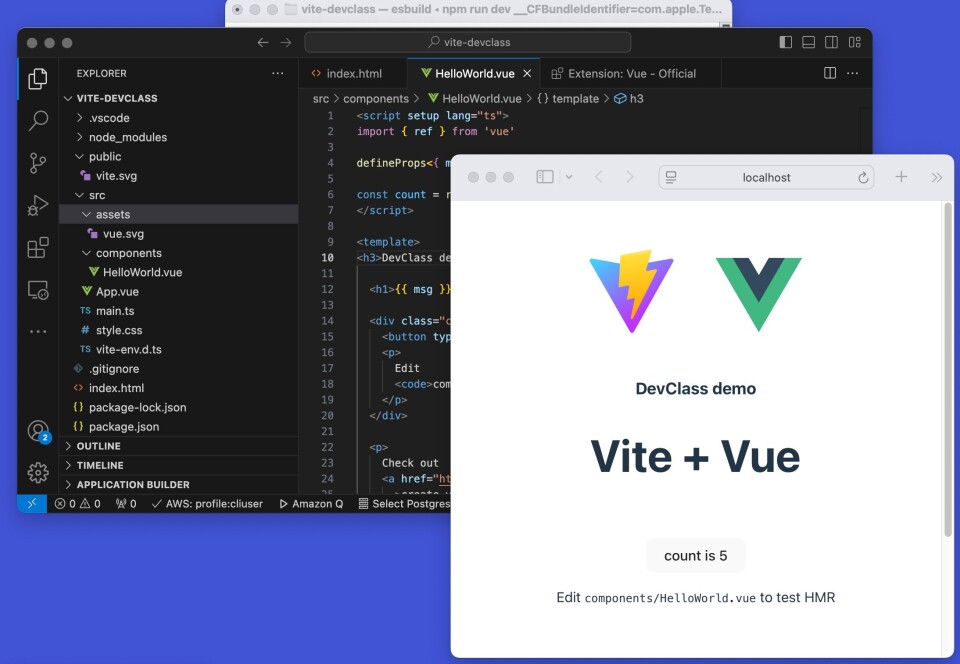
rollup-plugin-visualizer
, generate a dependency graph to spot unexpected large modules. A significant size increase often indicates that tree-shaking has failed or that legacy CommonJS code is being bundled incorrectly.-
Bundle size is within expected range
-
Tree-shaking removes unused exports
-
No runtime errors in browser console
-
External dependencies resolve correctly
If the output looks correct, your migration is likely successful. If you see regressions, revisit your plugin chain and ensure all dependencies are compatible with Rollup 4.
No comments yet. Be the first to share your thoughts!