
Why zero-config matters now
The era of writing hundreds of lines of boilerplate to bundle a simple script is ending. In 2026, the dominant trend in modern builds is zero-config bundling, led by tools like Rollup. This shift moves the industry away from complex, fragile Webpack and Vite configurations toward opinionated defaults that cover 90% of use cases without manual tuning.
Zero-config doesn't mean no configuration. It means sensible defaults that handle module resolution, tree-shaking, and minification automatically. For developers, this reduces the cognitive load of maintaining build pipelines. Instead of debugging loader conflicts, you focus on writing code. This efficiency allows teams to iterate faster, treating the build step as a transparent utility rather than a bottleneck.
The market reflects this demand for simplicity. As seen in broader tech rollup trends, automation and efficiency are replacing manual complexity. Just as AI rollups move focus from efficiency to automation, bundler rollups move focus from configuration to compilation. The result is a cleaner, more maintainable developer experience.
This approach is particularly vital for modern JavaScript and TypeScript projects that prioritize speed and reliability. By removing the need for extensive setup, zero-config bundlers lower the barrier to entry for new projects while providing a robust foundation for existing ones. The focus shifts from configuring the tool to leveraging its capabilities.
Setting up the build pipeline
Zero-config bundling is the core promise of modern rollup tools, but getting there requires a precise initialization process. The goal is to strip away configuration files that often introduce complexity without adding value. By following these steps, you will establish a clean, efficient build pipeline ready for production.
Start by creating a new directory for your project and initializing it with npm. Run npm init -y to generate a package.json file. This file serves as the central registry for your project's metadata and dependencies, ensuring your build environment is version-controlled and reproducible.
Install Rollup as a development dependency using npm install --save-dev rollup. For zero-config bundling to work effectively with modern JavaScript, you will also need the @rollup/plugin-node-resolve and @rollup/plugin-commonjs plugins. These plugins allow Rollup to automatically resolve and bundle modules without manual configuration, adhering to the zero-config philosophy.
Create a simple src/index.js file. This file will act as the entry point for your build pipeline. Even with zero-config bundling, Rollup needs a single entry file to begin traversing the dependency graph. Keep this file minimal to demonstrate the bundler's automatic tree-shaking capabilities.
Add a build script to your package.json. Set the script to rollup src/index.js -o dist/bundle.js -f es. This command tells Rollup to take your entry file, bundle it, and output an ES module to the dist folder. This simple command line interface eliminates the need for a rollup.config.js file for basic setups.
Execute the build with npm run build. Check the dist folder for the generated bundle.js. If the build succeeds, your zero-config bundling pipeline is operational. This streamlined process reduces setup time and ensures your code is optimized for production without manual intervention.


As an Amazon Associate, we may earn from qualifying purchases.
The setup process for zero-config bundling prioritizes speed and simplicity. By relying on sensible defaults and automatic plugin resolution, you can focus on writing code rather than managing build configurations. This approach aligns with the modern demand for efficient, low-maintenance development workflows.
Comparing bundler options
Choosing the right zero-config bundler for modern builds requires balancing setup speed against output optimization. While Vite and Webpack dominate the landscape, Rollup offers a distinct path for library authors and specific application architectures. Understanding where each tool excels helps teams avoid configuration overhead while maintaining build efficiency.
Rollup vs. Vite vs. Webpack
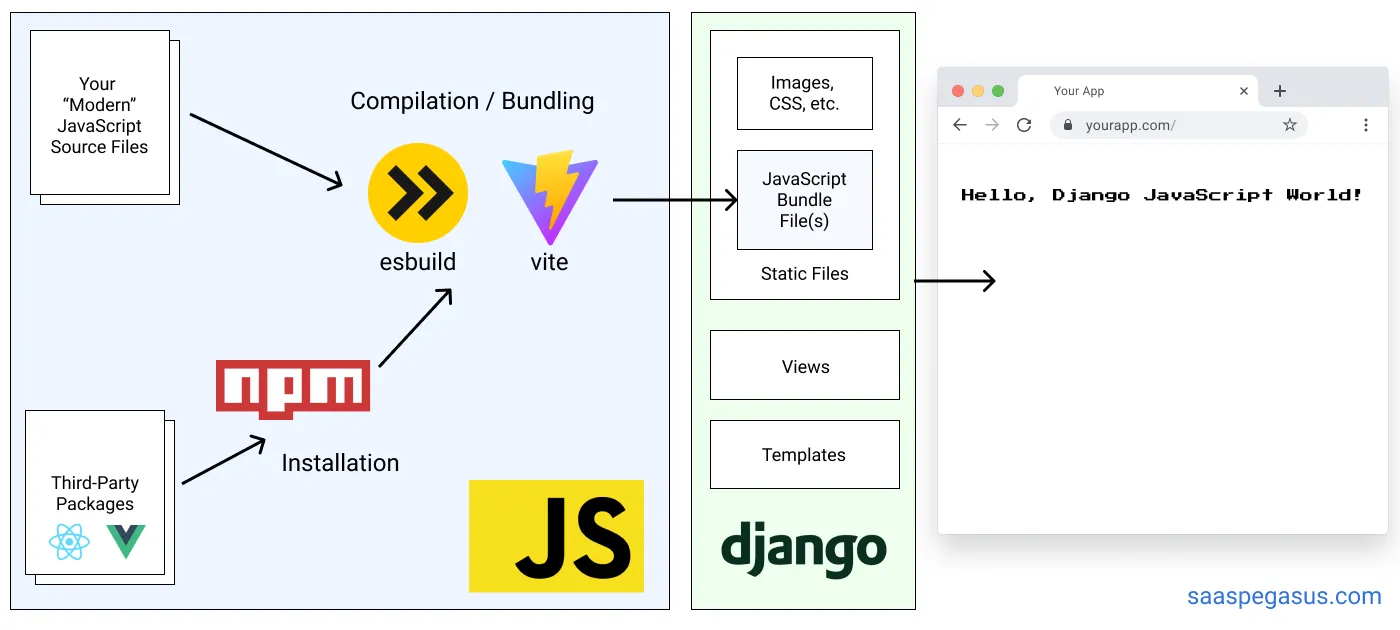
The primary difference lies in their intended use cases. Rollup is optimized for producing small, efficient bundles for libraries, leveraging tree-shaking to eliminate dead code. Vite uses Rollup for production builds but pairs it with esbuild for lightning-fast development servers. Webpack remains the versatile standard for complex applications requiring intricate asset pipelines.
| Feature | Rollup | Vite | Webpack |
|---|---|---|---|
| Config Complexity | Low (Library-focused) | Low (Zero-config dev) | High (Flexible but verbose) |
| Bundle Size | Smallest (Tree-shaking) | Small (Rollup-based prod) | Variable (Depends on plugins) |
| Dev Server Speed | N/A (Build-only) | Instant (esbuild HMR) | Moderate (Hot Module Replacement) |
| Primary Use Case | Libraries, Svelte, Vue | React, Vue, Svelte Apps | Complex Enterprise Apps |
When to choose each
Select Rollup if you are building a JavaScript library intended for other developers to import. Its output is cleaner and smaller, making it the default choice for frameworks like Svelte and Vue. For application development, Vite provides a superior developer experience with near-instant server starts, using Rollup under the hood for production optimization. Webpack is still the right choice for legacy codebases or applications requiring highly customized asset processing that Vite's plugin ecosystem cannot yet replicate.
| Feature | Rollup | Vite | Webpack |
|---|---|---|---|
| Config Complexity | Low | Low | High |
| Bundle Size | Smallest | Small | Variable |
| Dev Server Speed | N/A | Instant | Moderate |
| Primary Use Case | Libraries | React/Vue Apps | Enterprise Apps |
Common configuration mistakes
Even with zero-config defaults, Rollup setups require deliberate tuning. The most frequent errors stem from plugin ordering and dependency management. When these elements are misaligned, builds either fail silently or produce bloated bundles that hurt performance.
Plugin ordering
Rollup executes plugins in the exact order they appear in the plugins array. This sequence matters because each plugin transforms the AST or bundle. A common mistake is placing a minifier before code splitting. This prevents the splitter from seeing tree-shakeable exports, resulting in larger file sizes. Always place transformation and resolution plugins before optimization and output plugins.
Missing external dependencies
Another frequent pitfall is bundling dependencies that should remain external. If you include a large library like lodash in your bundle instead of treating it as an external dependency, you increase bundle size unnecessarily. Use the external config option to exclude node_modules or peer dependencies. This ensures your build remains lightweight and leverages the consumer's existing environment.
Verify your zero-config build output
Rollup’s zero-config bundling removes guesswork from the setup phase, but it doesn’t remove the responsibility to verify the result. A silent build that includes unexpected dependencies or fails to tree-shake correctly can silently inflate your bundle size and hurt performance.
Start by auditing the output directory. Check the final file sizes and inspect the generated code for any leftover development artifacts or unminified logic. If you are using TypeScript or JSX, ensure the transpilation step completed without errors and that the output matches your expected module format (ESM or UMD).
Use the Rollup plugin rollup-plugin-visualizer to generate a breakdown of your bundle composition. This visual map reveals exactly which libraries are consuming space and whether your zero-config assumptions about tree-shaking are holding true. If you see large, unexpected chunks, review your entry points and external configuration to ensure unnecessary code is being excluded.
Finally, run a production-like test environment. Deploy the built assets to a staging server and measure load times using browser developer tools. Compare the metrics against your previous manual configuration to confirm that the zero-config approach is delivering the performance gains you expect.
No comments yet. Be the first to share your thoughts!