

Why rollup 4 matters in 2026
While Vite dominates the development experience, Rollup 4 remains the definitive standard for library distribution. Its strict adherence to ES modules makes it the preferred choice for packaging npm packages that need to run efficiently across browsers, Node.js, and other JavaScript environments.
Rollup 4 prioritizes smaller, cleaner bundles through superior tree-shaking. Unlike broader tools like Webpack, which must handle a wide array of legacy formats and complex asset pipelines, Rollup focuses on what matters for libraries: eliminating unused code and preserving module structure. This results in output that is both smaller and easier for downstream consumers to optimize.
For library authors, this distinction is critical. Vite provides the fast, HMR-driven server for building your application, but when it's time to publish a package for others to use, Rollup 4 handles the final compilation. It supports outputting to ES modules, CommonJS, UMD, and SystemJS, ensuring your library reaches users regardless of their runtime environment. This dual-tool workflow—Vite for development, Rollup for distribution—has become the industry baseline for modern JavaScript.
4 Rollup 4 vs Vite 6: Choosing the Right Bundler for 2026
Selecting between Rollup 4 and Vite 6 depends on whether your 2026 project prioritizes granular library optimization or rapid development iteration. This comparison evaluates both bundlers against concrete scenarios, such as monorepo builds and plugin ecosystems, to determine the most efficient tool for your specific architecture.
-
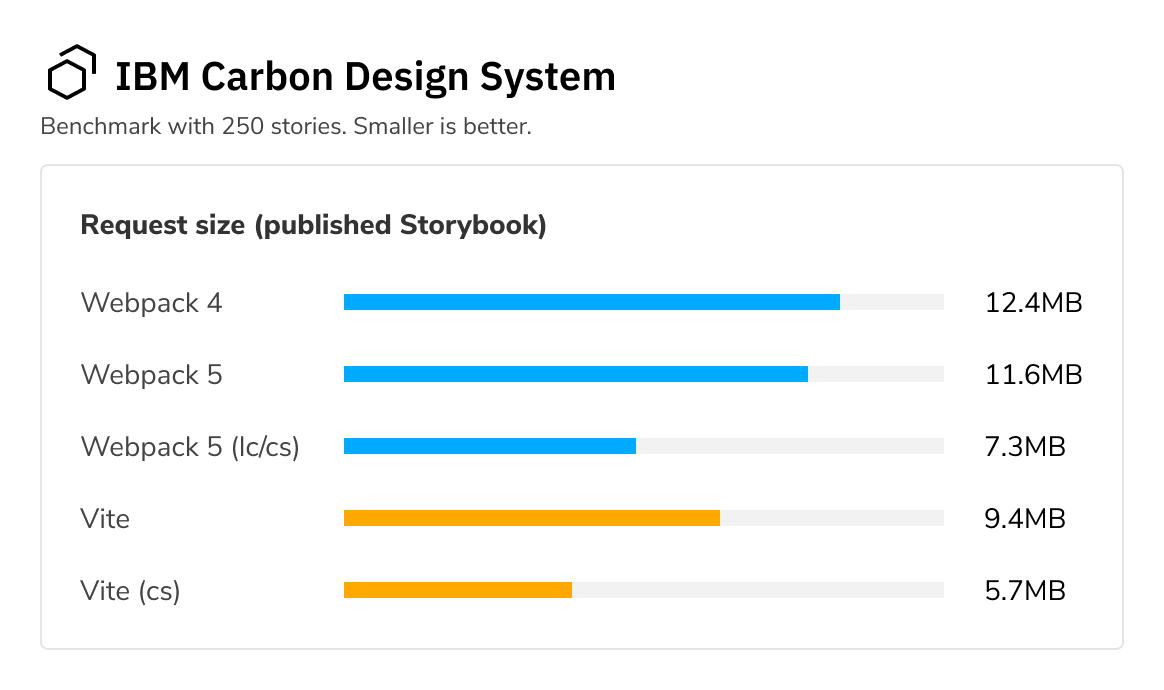
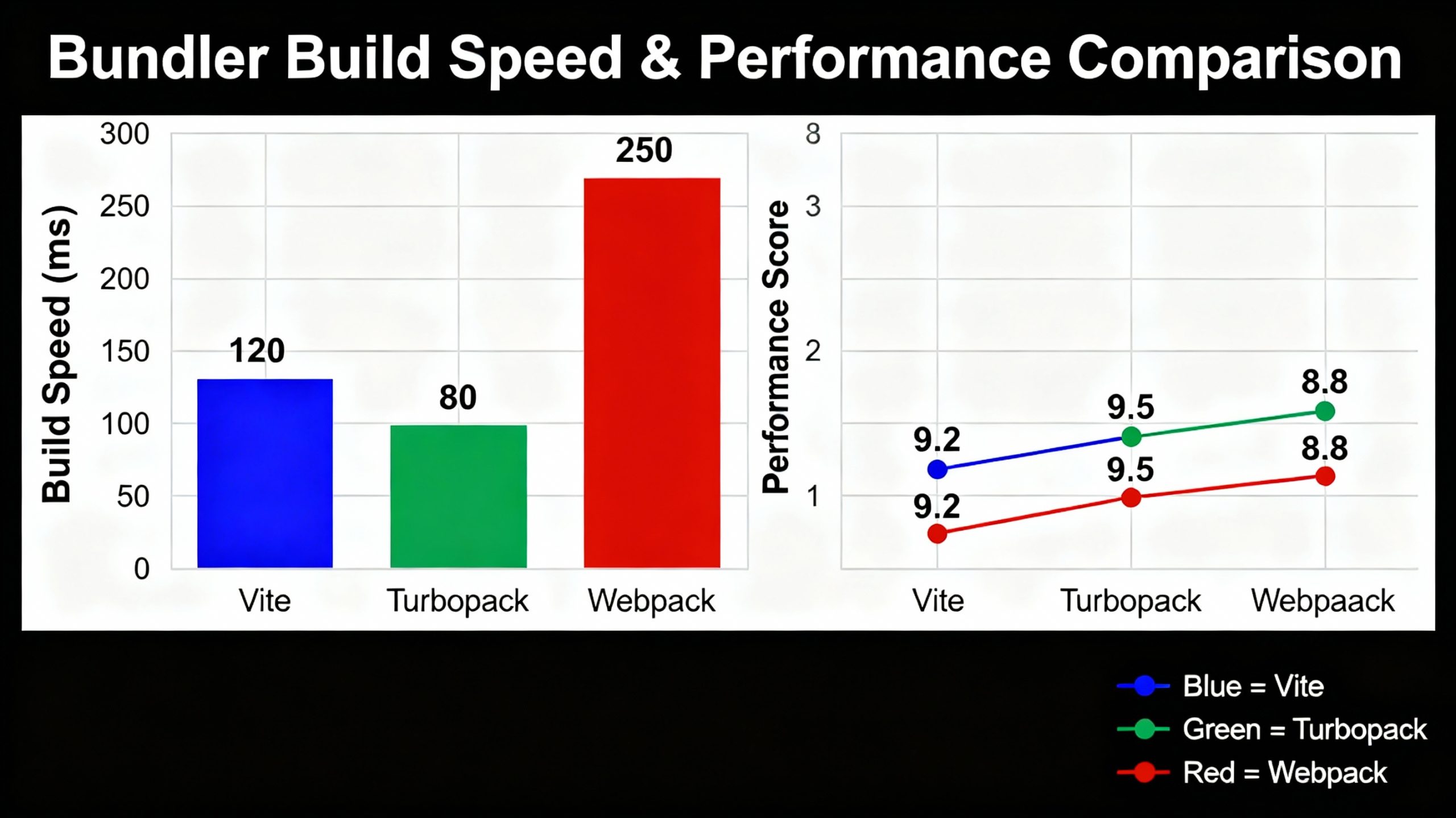
Build speed and hot module replacement performance
Vite 6 leverages native ES modules and esbuild for instantaneous cold starts, while Rollup 4 relies on optimized parallel processing. For large monorepos, Vite’s HMR updates are typically sub-second, whereas Rollup 4 may require full rebuilds for certain dependency changes. Benchmark your specific project scale to determine if Vite’s speed advantage outweighs Rollup’s stability in your CI pipeline. -
Plugin ecosystem compatibility and migration effort
Vite 6 supports Vite 4/5 plugins natively, easing migration from existing Webpack setups. Rollup 4 requires plugins to implement the Rollup 4 interface, which may necessitate code updates for legacy tools. Evaluate your current plugin dependencies; if you rely on Webpack-specific loaders, Vite offers a smoother transition path with fewer breaking changes during the upgrade process. -
Library bundling optimization and tree shaking
Rollup 4 excels at producing small, efficient library bundles by default, utilizing advanced tree-shaking algorithms that eliminate unused exports effectively. Vite 6 uses Rollup under the hood for library builds, offering similar results but with less granular control over output formats. For npm packages where bundle size is critical, Rollup 4’s dedicated configuration options provide superior precision for multi-format distribution. -
Application bundling configuration and developer experience
Vite 6 provides a zero-config setup for modern web applications, automatically handling CSS and asset optimization. Rollup 4 demands explicit configuration for entry points, output formats, and plugin chains, offering greater flexibility at the cost of initial setup time. Choose Vite 6 for rapid prototyping and straightforward app development, while reserving Rollup 4 for complex, highly customized application architectures.
Rollup 4 vs Vite 6: Core Differences
Choosing between Rollup 4 and Vite 6 starts with understanding their distinct roles in the build pipeline. Rollup is a static module bundler designed to compile small pieces of code into larger, more complex outputs like libraries or application bundles. Vite, built on top of Rollup for production, is primarily a development server and build tool focused on speed and developer experience.
Rollup excels at creating optimized, static assets. It supports multiple output formats, including ES modules, CommonJS, UMD, and SystemJS, making it versatile for libraries and applications targeting various environments. Its strength lies in tree-shaking and producing small, efficient bundles by removing unused code. Rollup plugins extend its functionality, allowing for custom build hooks and output generation.
Vite transforms the development workflow. It uses native ES modules in the browser to serve code instantly, bypassing the need for full bundle recompilation during development. This results in near-instant server starts and fast hot module replacement (HMR). For production, Vite leverages Rollup under the hood, ensuring that the final output benefits from Rollup's optimization capabilities while maintaining a fast development cycle.
The following table compares Rollup 4 and Vite 6 across key metrics to help you decide which tool fits your project's needs.
| Feature | Rollup 4 | Vite 6 |
|---|---|---|
| Primary Use Case | Bundling output for libraries and apps | Development experience and serving |
| Output Format | ES modules, CommonJS, UMD, SystemJS | ES modules (production), native ES (dev) |
| Plugin Ecosystem | Extensive, focused on build hooks | Vite-specific plugins, Rollup-compatible |
| Dev Server | Not included (requires external tool) | Built-in, fast HMR, native ES modules |
| Optimization | Tree-shaking, minification, code splitting | Production build uses Rollup for optimization |
| Configuration | rollup.config.js | vite.config.js (wraps Rollup) |
-
Choose Rollup 4 for library distribution or complex bundling needs
-
Choose Vite 6 for rapid development and modern web applications
-
Use Vite for development and its Rollup-based build for production
-
Verify plugin compatibility with your chosen tool
When selecting a bundler, consider the project's lifecycle. If you are building a library to be consumed by other developers, Rollup's granular control over output formats and its robust tree-shaking make it the standard choice. For internal applications or projects where developer velocity is paramount, Vite's instant feedback loop and simplified configuration provide a superior experience. Many teams use Vite for development and rely on its underlying Rollup configuration for production builds, effectively combining the best of both tools.
Migrating to rollup 4: What changed
Upgrading from Rollup 3 to Rollup 4 requires careful attention to plugin compatibility and configuration syntax. The release introduces stricter adherence to the ES module spec and removes several legacy features that were previously tolerated. Before updating your project, verify that all installed plugins support the new interface.
1. Update Node.js version requirements
Rollup 4 drops support for Node.js versions older than 14.18.0. If your CI/CD pipeline or local environment runs an older LTS release, upgrade Node.js first. This ensures compatibility with the new internal dependencies and modern JavaScript features used in the bundler core.
2. Review plugin compatibility
Many community plugins rely on internal Rollup APIs that have changed or been removed. Check the documentation for each plugin in your rollup.config.js to confirm it supports version 4. Update plugin versions where possible, or replace incompatible plugins with maintained alternatives. This step is critical to prevent build failures during the migration.
3. Adjust configuration syntax
Several configuration options have been renamed or deprecated. For example, the output.interop option now defaults to auto, which may change how external dependencies are handled. Review the official migration guide for a list of breaking changes in the API. You may need to update how you handle globals, external modules, and output formats to align with the new defaults.
4. Test the build thoroughly
After updating dependencies and configuration, run a full production build. Check the output bundle size and structure to ensure tree-shaking still works as expected. Look for new warnings or errors in the console, particularly those related to missing exports or circular dependencies. Fix any issues before deploying to production to avoid runtime errors.
5. Update documentation and team knowledge
Document the changes made to the build configuration and share them with your team. Update any internal guides or onboarding materials that reference Rollup 3-specific features. This ensures that new team members understand the current setup and can troubleshoot issues effectively. Regularly check for plugin updates to stay compatible with future Rollup releases.
No comments yet. Be the first to share your thoughts!